The Mediatopia CMS · Marketing
Marketing tools that get you found, reviewed and called
Marketing tools inside your content management system: Google review requests and replies, SEO Coach in plain English, a social media post every day, and an AI receptionist that answers every call. The regular part of marketing, done for you, inside your CMS.
What can a CMS do for your marketing?
Most small businesses market themselves with whatever time is left at the end of the day: a review asked for now and then, a social media post when someone remembers, a website nobody has checked against Google in a year, and a phone that rings out when everyone is busy. None of it is hard. It just never gets done.
The marketing tools in the Mediatopia CMS do the regular, repetitive part for you, inside the same system as your website. They ask for reviews, show you what to change to climb Google, write and post to social media every day, and answer the phone. You stay in charge of what goes out; the CMS does the remembering.
Why use marketing tools inside your CMS?
Because they know your business already. The review requests use your customers and your design; SEO Coach reads your own pages; the social posts link back to your own website; the phone receptionist answers from your own information. Nothing has to be copied into another service, and every review, call and visitor ends up in the same place as your enquiries and customers.
- Built on your own website and customers
- Nothing to copy into other services
- Every review, call and lead in one place
- Each tool on its own, when you need it
Want it done for you instead? See our SEO packages, search engine marketing, automatic social media posting and a free SEO audit of your website.
Get more Google reviews, and put them to work
Before someone rings you, books with you or buys from you, they look you up, and the first thing they read is what other customers have said. Google’s own advice to businesses is that good reviews can help you stand out in local searches. Most happy customers would leave you one if they were asked at the right moment, in the right way, with the link in front of them. The Mediatopia CMS asks for you, gathers every review, lets you reply, and shows the best on your website.
Asking
Pick the customer and write a line about the job you did for them. That line sits at the top of the email, above the button, so it reads like a note from you, not a mailshot. It goes from your own business email address, in your own design, and the link to leave a Google review is filled in from your Google listing, so one click takes them to the right place. Save the wording you use most as a template; every request is listed, so you can send one again if it’s been missed.
Showing
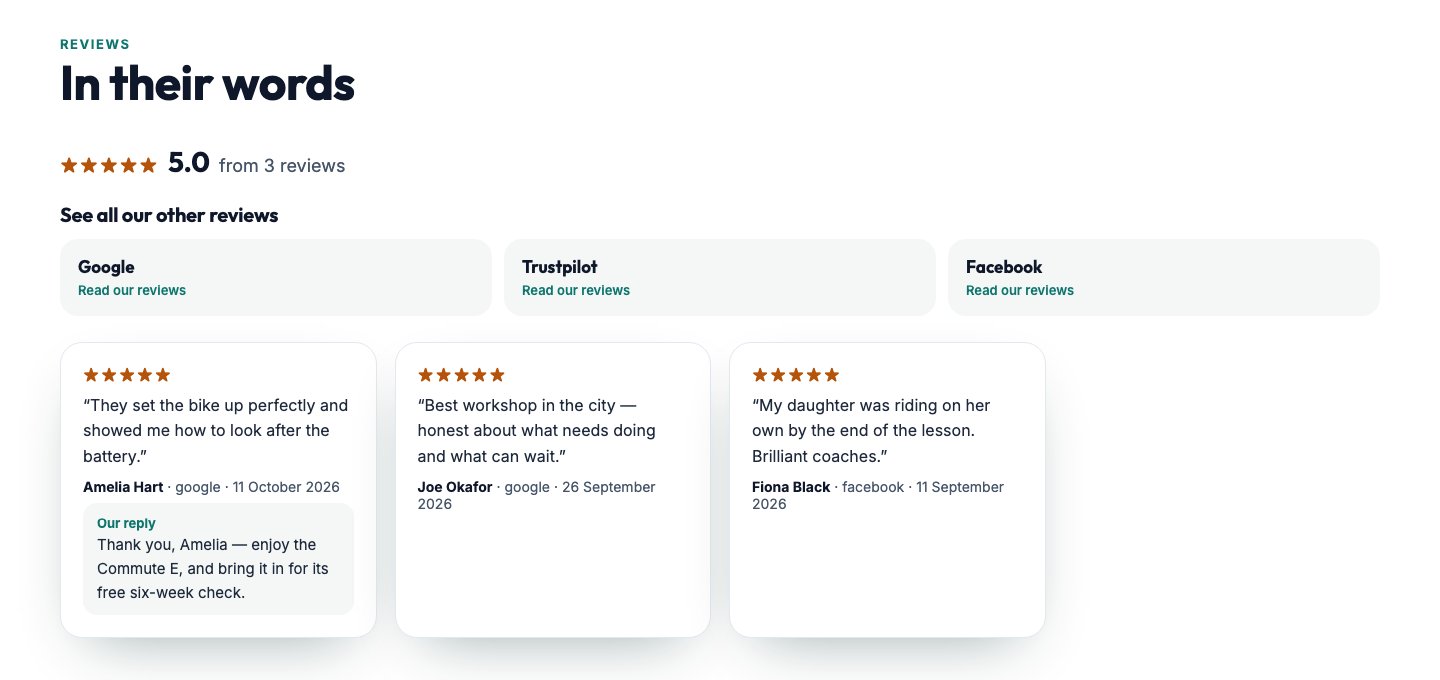
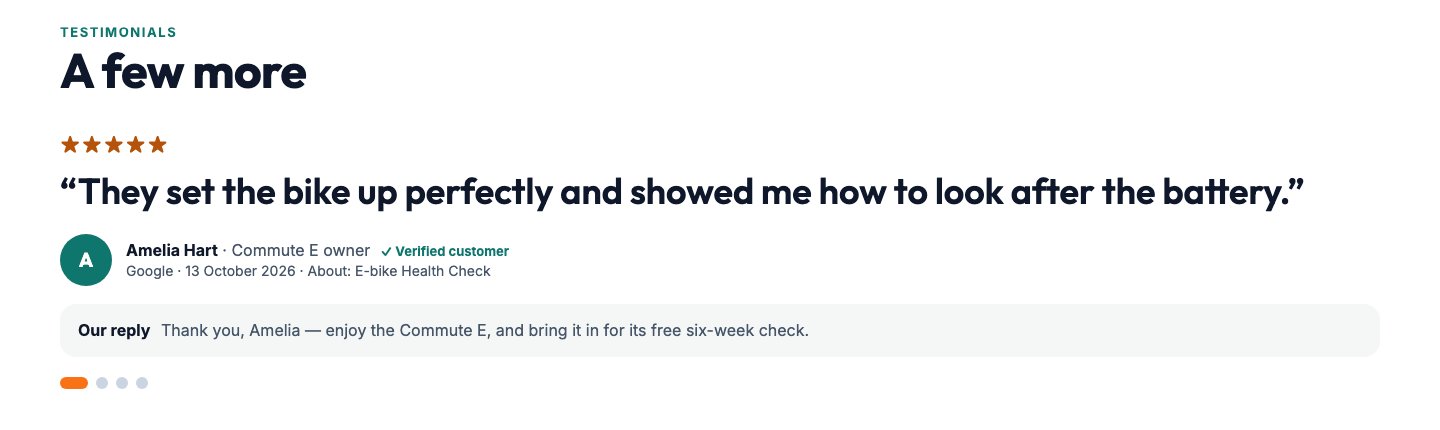
Every review comes into one list: Google, Facebook, Trustpilot, Checkatrade, TrustATrader, Yell, Yelp, Bark, and the ones sent to you directly. Reply in the CMS and your answer shows under the review on your website as “Our reply”. You choose which reviews are published, and tiles take visitors to your reviews on every other site.
Step by step
- 01Finish the jobYou’ve done the work and the customer is happy. That’s the moment to ask.
- 02Send the requestPick the customer, add a line about their job, and send. It goes from your own email address with your Google link already in it.
- 03They leave a reviewOne click takes them straight to the place to leave it. No hunting for your listing.
- 04Reply and show it offReply from the CMS, publish it, and it’s on your website with your answer underneath.
Every feature
Review requests in your own words
Send a request in your own design, with a line about the customer’s job quoted above the button.Your Google link, filled in for you
The link to leave a Google review comes from your own Google listing, so you never have to find it.Sent from your own email address
Requests go from your business’s own mailbox, so your customer sees your name, not ours.Templates you write once
Save the wording you use most and pick it each time, with a standard request ready to go.Every request tracked
See which requests are waiting and which have gone, and send one again in one click.Every review in one place
Google, Facebook, Trustpilot, Checkatrade, TrustATrader, Yell, Yelp, Bark and the ones sent to you direct.Reply to every review
Write your reply in the CMS. It shows under the review on your website as “Our reply”.You choose what shows
Publish the reviews you want on your website and keep the others in the CMS.Positive, neutral or negative
Each review is marked, so the ones that need you stand out.Your figures, worked out for you
Your star spread, where your reviews come from, how many arrive each month and how many you’ve replied to.Your other review sites, one click away
Tiles under your score take visitors to your reviews on Google, Trustpilot, Facebook or anywhere else.Your score on every page
On websites with our pop-up dock, your average score and number of reviews sit on every page.
SEO Coach: climb Google in plain English
Search engine optimisation is usually sold as a mystery. SEO Coach takes the mystery out. It scores every page of your website and says, without jargon, what’s holding each one back, and it only ever changes wording and tags: never your design, your pictures or your layout.
It shows the searches you’re actually found for, where you come on a phone and on a computer, and the pages that are just off the first page of Google, with exactly what to change on each one to climb.
Get closer to page one
Finds the searches where a page is just off the first page and says exactly what to change on that page: the words to work in, the questions to answer, the sections to add.
Questions people ask
Type a few words about what you do and see the questions people search for, with how many search each month, plus the ones Google shows under “People also ask”. Save the ones worth answering to your list.
A blog post every week
Switch on the weekly blog and a post answering one of your saved questions is written and put live on your website every Tuesday. Or write one now from any question, after a confirmation saying what it costs.
Phone and computer positions
Your position for each search on a phone and on a computer, side by side, because they’re rarely the same and most of your customers are on a phone.
Pages competing with each other
Finds pairs of your own pages Google has shown for the same searches, says which one Google prefers, and lists the searches they share.
Your listings checked
Finds your business on directories across the web, including ones you never signed up to, and shows which have the wrong name, address or phone number.
Competitors
Shows who you’re up against on Google for your searches, and where they beat you.
An AI receptionist that answers every call
A missed call is usually a lost customer: they ring the next business on the list. The AI receptionist answers your usual number in a natural voice, day or night. It takes the caller’s name, number and email, spelling the email back, and asks the questions you would: what they need, when, and their budget.
Every call is written up in the CMS with what the caller said and a follow-up date, and a morning email lists who to ring that day. Up to three follow-up emails can be written from what the caller actually said, using only your real prices and pages, and they stop the moment the customer replies. We set it up for you: the number, your line forwarded to it, and a test call.
Voice · Calls
- Caller
- Name, number and email, spelled back to them
- What they need
- Your questions, asked and answered: what, when, and their budget
- Next
- A call back, and a follow-up date
How the marketing tools work together
Each tool earns its keep on its own, and together they make a loop. The receptionist and your website’s forms bring in new customers; when a job is done, a review request goes out; the review appears on your website and helps the next stranger choose you; SEO Coach and the weekly blog bring more strangers to the website; and the daily posts keep you in front of everyone who already knows you.
- Calls and enquiries in one place
- Reviews asked for after every job
- Your reviews on your website
- More people finding you on Google
Who are the marketing tools for?
Any business that wants more people to find it, trust it and call it.
Trades and home services
Reviews after every job, and every call answered while you’re on the tools.Garages and workshops
Google reviews that keep a local business at the top of the map.Shops and online sellers
Daily posts that bring people back to the shop.Professional firms
SEO Coach answering the questions clients search for.Clinics, salons and studios
A receptionist that never sends a caller to voicemail.Schools, clubs and charities
News and events posted every day without a volunteer’s evening.New businesses
Reviews and search positions built from the first week.Anyone too busy to market
The repetitive part done for you, every day.
Questions about the marketing tools
Do review requests come from my own email address?
Yes. They go from your business’s own mailbox, in your design, with your Google link already in them.
Will SEO Coach change my website’s design?
No. It only ever suggests or changes wording and tags, never your design, pictures or layout.
Which social networks does it post to?
Facebook, Instagram and LinkedIn automatically; for others the post is copied and the site opened for you.
Does the AI receptionist replace my phone number?
No. Your usual number is forwarded to it, so customers ring the number they already have.
Can I have just one of the tools?
Yes. Each one can be added on its own.
Can I try them before I buy?
The marketing tools are shown in a guided demo. The rest of the CMS you can try now, in your own copy of our demo, with nothing to fill in.
Book a guided demo of the Mediatopia CMS
Tell us a little about your business and what you would like to see, and we will be in touch to arrange a time to show you round the CMS.
Try it for yourself
Your own copy of a working website and its content management system, ready in seconds. No form, no sales call.
A social media post every day, without doing it
Posting every day is what keeps a business in front of people, and it’s the first thing that stops when you’re busy. The Social Media part of the CMS writes a post every day on a weekly rhythm, a piece of work, a tip, an opinion, something fun, a myth busted, something local, a question, so your feed never reads like the same advert seven times. Each post links back to your website, so it brings people to you, not just likes.
Posts go to Facebook, Instagram and LinkedIn automatically. For anywhere else, the post is copied and the site opened for you to paste it. Don’t like a picture? Change it for one from your own Media Library, and keep it for every later post about the same thing.
Social Media · A week of posts
Automatic social media posting