The Mediatopia CMS · Jobs and recruitment
A careers page and applicant tracking system on your own website
A page for every vacancy, listed on Google for Jobs, with the application form on it. Every application, CV and answer in one place, with your notes and ratings, from new to offer.
What is a careers page with applicant tracking?
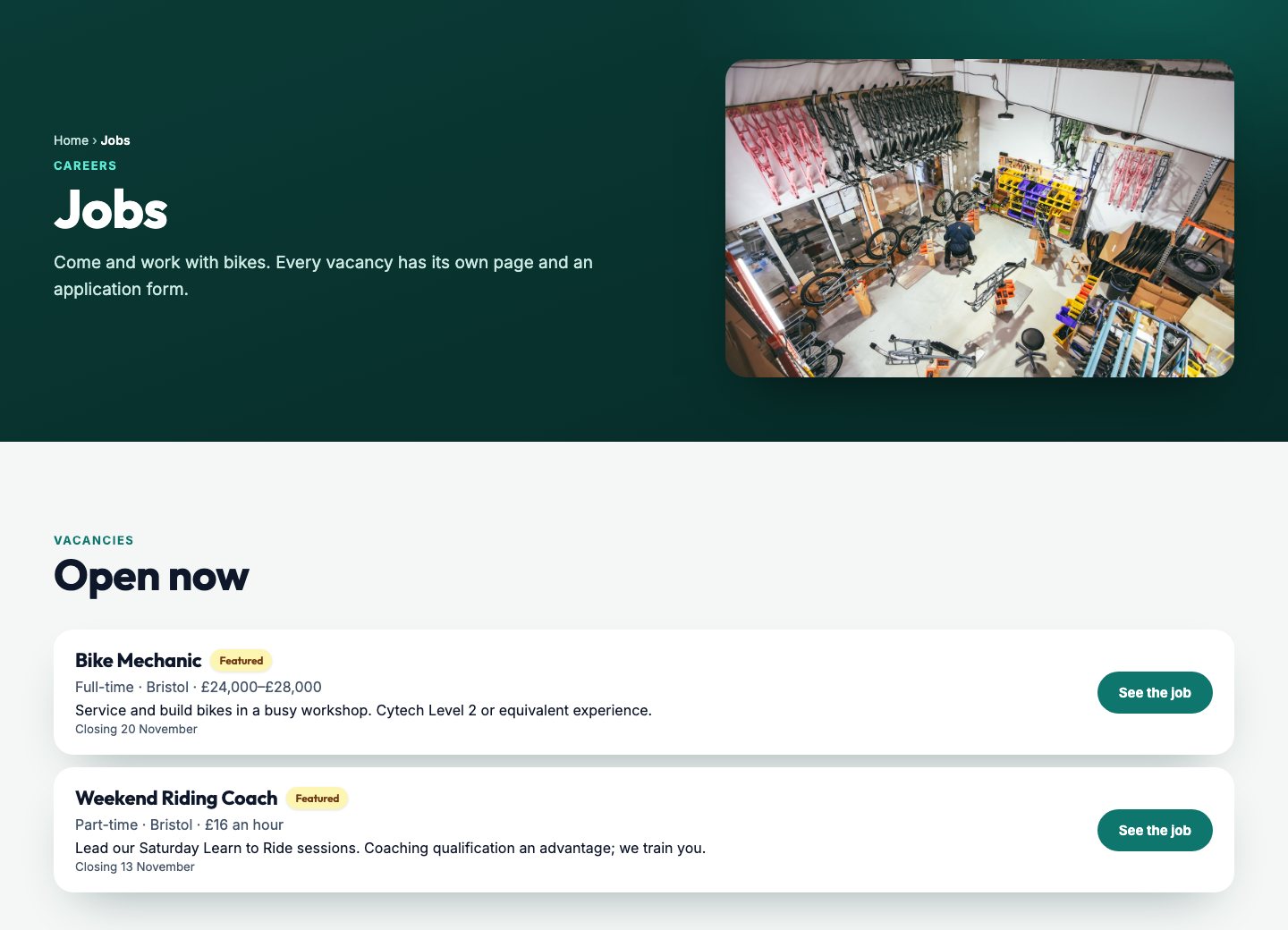
A careers page is the part of your website where people see the jobs you’re hiring for and apply. Applicant tracking is what happens after they press send: every application kept in one place, with the CV, the answers and your notes, moving from new to interview to offer, so nobody is lost in an inbox and nobody waits weeks to hear back.
Big companies buy recruitment software for this. Small businesses usually manage with a job board advert, an email address and a folder of CVs, which works until two jobs are open at once and you can’t remember who you rang. The Mediatopia CMS gives a small business both halves, on its own website.
Why hire through your own website?
Because the people who want to work for you already go there. A careers page on your own website shows them who you are, what the job really involves and who they’d be working with, in a way a two-line advert on a job board can’t. And every application comes straight to you, not through someone else’s system.
In the Mediatopia CMS your vacancies sit beside the rest of your website, so a job can be up in minutes and taken down the moment it’s filled, and each one is marked up so Google can list it in its own job search.
- Your vacancies on your own website
- Listed in Google’s job search
- Applications straight to you, with CVs
- Up in minutes, down when it’s filled
Hiring for clients rather than for yourself? See our recruitment agency website design. The careers page is part of the Mediatopia CMS behind our pay monthly websites and professional services web design.
A page for every vacancy
Every vacancy gets its own page on your website, with its own address you can share. At the top: the job title, where it is and the pay. Beside the description, a card of the facts people look for first: the hours, the team, the experience you need, whether it’s on site, remote or hybrid, the pay, any bonus and the closing date. Then what they get, the skills you’re looking for, and the application form right there on the page.
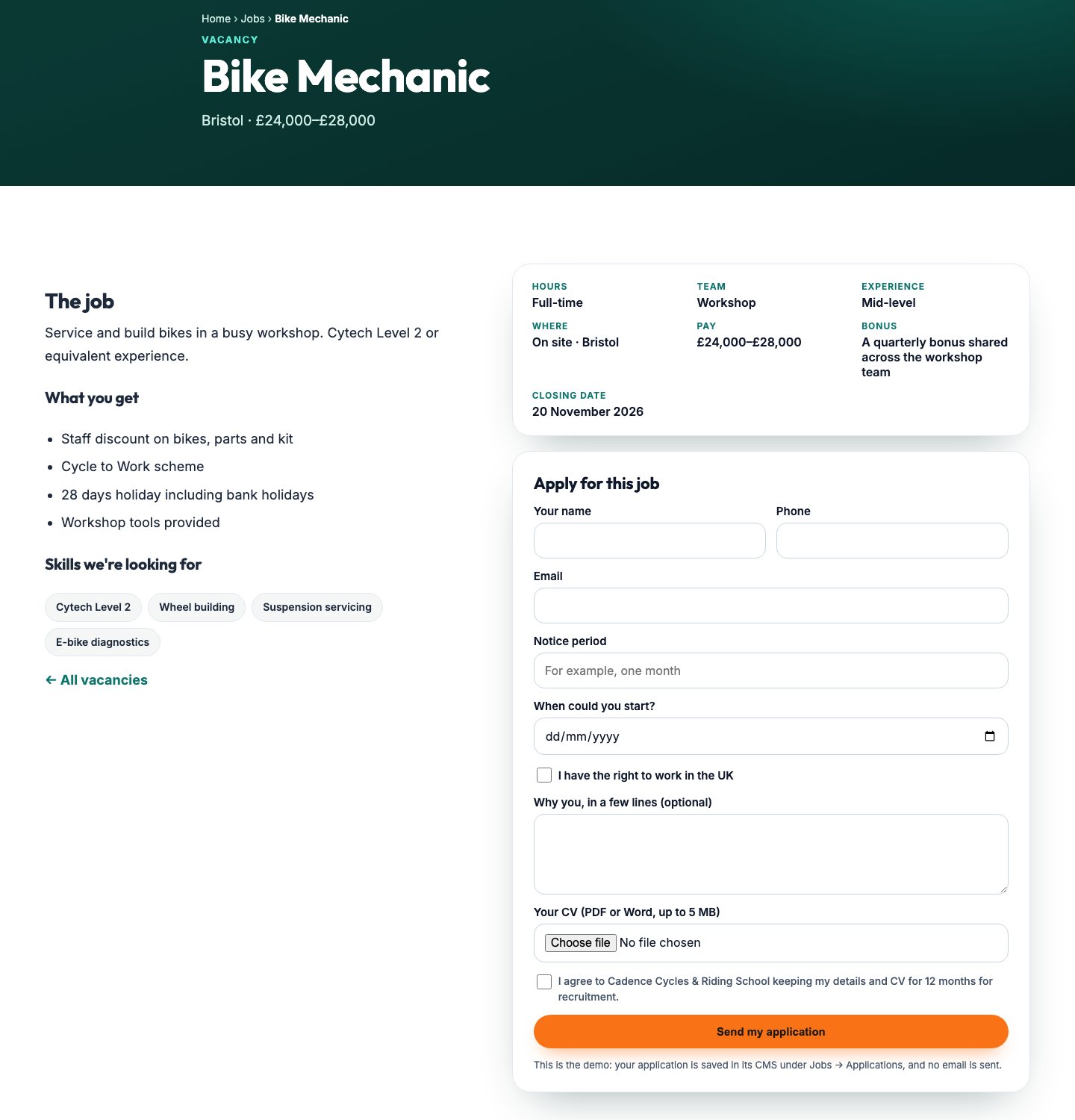
- Hours, team, experience and where
- Pay and bonus, as you want them shown
- A closing date
- What they get, as a list
- The skills you want, as tags
- Apply on the same page
Listed on Google for Jobs
When someone searches Google for a job, Google shows a panel of vacancies before the ordinary results. To appear in it, a vacancy has to be described to Google in a particular way. Every vacancy page in the Mediatopia CMS does that by itself: the job title, the description, the date it was posted, the closing date, whether it’s full-time or part-time, your business and where the job is. You fill in the vacancy; the website tells Google.
That means your jobs can be found by people who have never heard of you, searching for exactly the job you’re offering, near you, without you paying a job board to list it.
Your job vacancies, always up to date
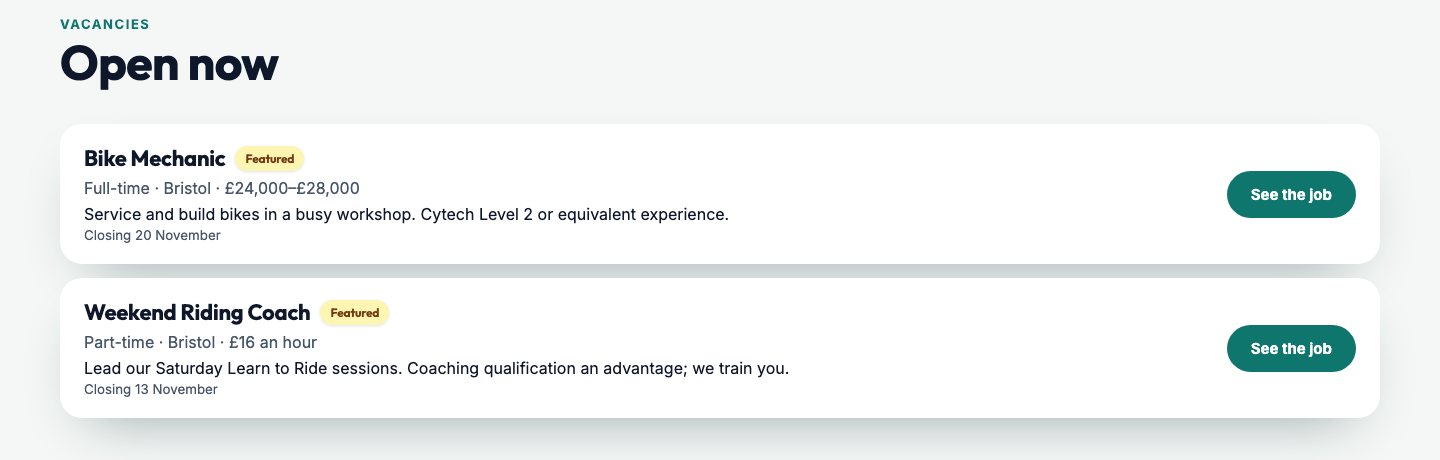
Your careers page lists every open job with its short description, its hours, where it is, its pay and its closing date. Mark one Featured and it goes first with a label. Close a job and it comes off your website; open it again and it’s back.
In the CMS, Vacancies shows every job with its reference, its status and how many applications it has, and View Live opens its page on your website.
An application form that asks your questions
Different jobs need different answers. A mechanic’s notice period matters; a weekend coach’s start date matters more. So the questions are set job by job, and the form on each vacancy page asks exactly those.
Ask what you need
Every application asks for a name, phone, email and a CV. Then you tick what else each job should ask: notice period, the right to work in the UK, when they could start, salary expectations, a LinkedIn profile, a portfolio, how they heard about the job. Only the questions you tick appear on that job’s form.
Cover letters
Ask for a few lines on why them, or require a cover letter for jobs where it matters. A required cover letter can’t be skipped: an application without one is turned away with a message saying so.
Apply somewhere else
If a job is handled by an agency or your own HR system, give it a web address or an email address, and the job page shows an Apply button that goes there instead of the form.
CVs kept private, consent kept on record
CVs are personal, and the law says you must look after them. Every CV sent through your website is stored privately: only your own logins can open it, and each time you do it opens from a link that lasts five minutes. Every application form carries your consent wording with your business name in it, and an application without the tick is turned away, so you know everyone in your list agreed to you keeping their details.
- CVs in PDF or Word, up to 5 MB
- Only your own logins can open them
- A five-minute link each time
- A consent tick on every form, required
Applicant tracking: every application in one place
Applications is where everyone who applies ends up, for every job, as a list or as a pipeline: New, Reviewed, Shortlisted, Interview Scheduled, Offer Made, with Offer Accepted, Rejected and Withdrawn for the ones that are settled. Move someone along as you go and the counts at the top tell you where you stand.
Open an applicant and you see everything they sent: their phone, notice period, right to work, the answers to your questions, why they want the job, and their CV, one click away. Add your own notes and a star rating, so the second read of a CV starts where the first one finished. Email opens your own email program, addressed to them.
Applications · Pipeline
- A list, or a pipeline by stage
- Everything they sent, on one panel
- Your notes and a star rating
- Their CV in one click
Speculative CVs, even when nothing is open
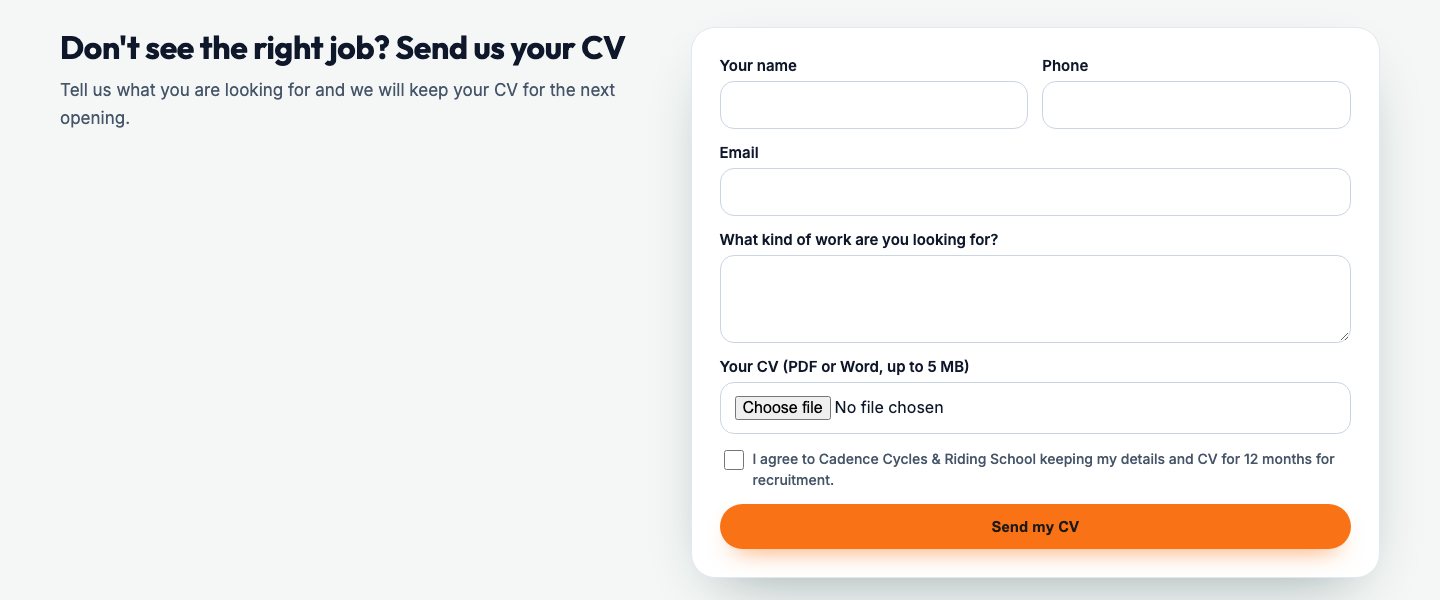
The right person doesn’t always turn up when you’re hiring. Switch on speculative applications and your careers page invites them anyway: “Don’t see the right job? Send us your CV”. Their CV and what they’re looking for land in Applications as a speculative application, ready for the day you are hiring. And when no job is open, your careers page says so in your own words instead of an empty list.
Show who they’d work with
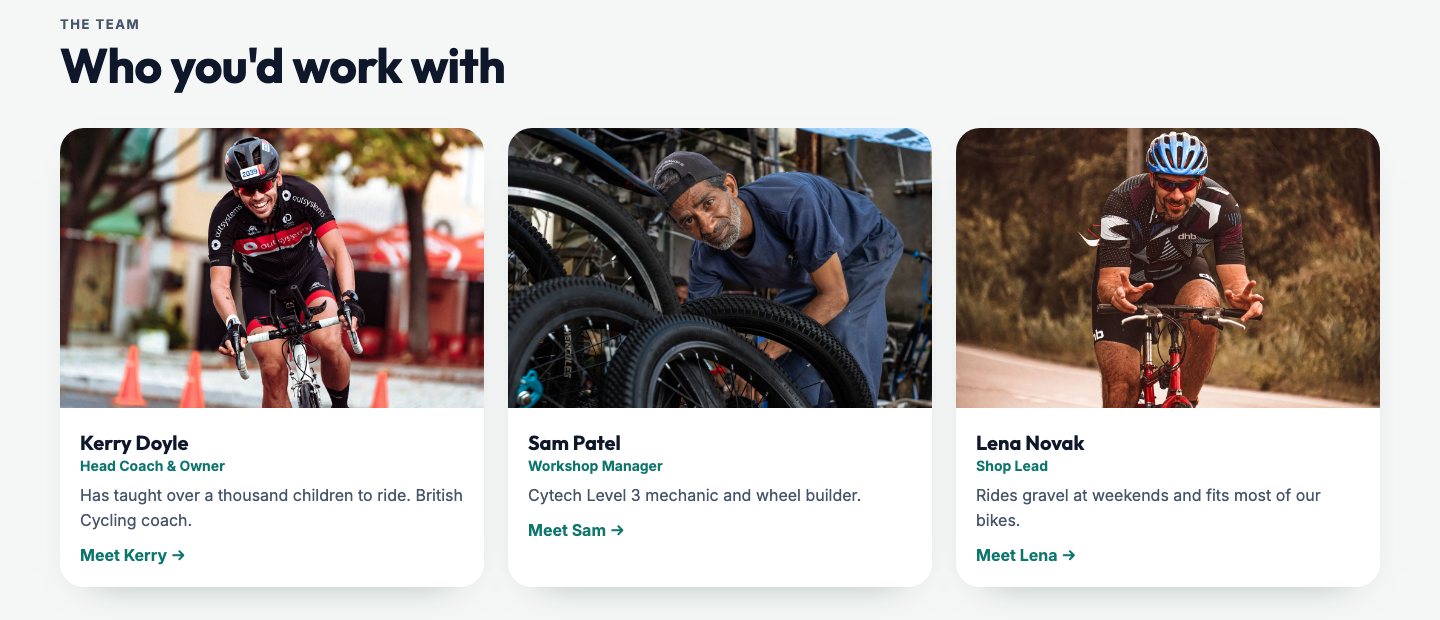
People join people. Turn on the team section and your careers page shows your team, from your Team Profiles, under “Who you’d work with”, each with their photo, role and a link to their own page. It’s the closest thing to walking round the workshop before an interview, and it does a lot of your selling for you.
Your careers page, in your words
Jobs → Settings is where your careers page gets its voice: the introduction at the top, the message when nothing is open, whether to invite speculative CVs, the consent wording on every form, and whether to show your team. Change a word there and it changes on your website, with nothing to publish.
Who is our careers page and applicant tracking for?
Any business that hires, and especially businesses that don’t hire often enough to pay for recruitment software.
Small businesses hiring now and then
One job at a time, done properly, without a recruitment budget.Workshops, garages and trades
Mechanics, fitters and apprentices, with notice periods and start dates.Care providers and nurseries
The right to work and start dates asked up front, CVs kept private.Shops, cafés and hospitality
Part-time and weekend jobs, and speculative CVs for the busy season.Schools and charities
Vacancies with closing dates, and a careers page in your own words.Agencies and staffing firms
Many jobs at once, a pipeline per applicant, featured roles first.Growing teams
Who you’d work with, from your own team pages.Anyone tired of job board fees
Your jobs found on Google’s own job search, from your own website.
Questions about hiring through the Mediatopia CMS
Will my vacancies show on Google for Jobs?
Every vacancy page is described to Google in the way its job search asks for, so it can be listed there. Google decides what it shows, as it does for every website.
Can I ask different questions for different jobs?
Yes. Each vacancy has its own ticks for what the form asks, and a cover letter can be optional or required.
Where do the CVs go?
Into your CMS, stored privately. Only your own logins can open them, from a link that lasts five minutes.
Can people apply when I’m not hiring?
Yes, if you switch on speculative applications. Their CV lands in Applications for when you are.
Can a job send people to an agency instead?
Yes. Give the job a web address or email address and it shows an Apply button to it in place of the form.
Can I try it before I buy?
Yes. Press Try it now and you’re in your own copy of our demo website and its CMS for 10 minutes, with nothing to fill in.
How much does it cost?
See our pay monthly websites for prices.
Book a guided demo of the Mediatopia CMS
Tell us a little about your business and what you would like to see, and we will be in touch to arrange a time to show you round the CMS.
Try it for yourself
Your own copy of a working website and its content management system, ready in seconds. No form, no sales call.