The Mediatopia CMS · Customers
Customer management: every customer, enquiry and conversation in one place
Enquiries that arrive with every answer and photo, spam filed away, a chat assistant that knows your business, customer accounts and a members area with no passwords, and newsletters to the people who asked for them.
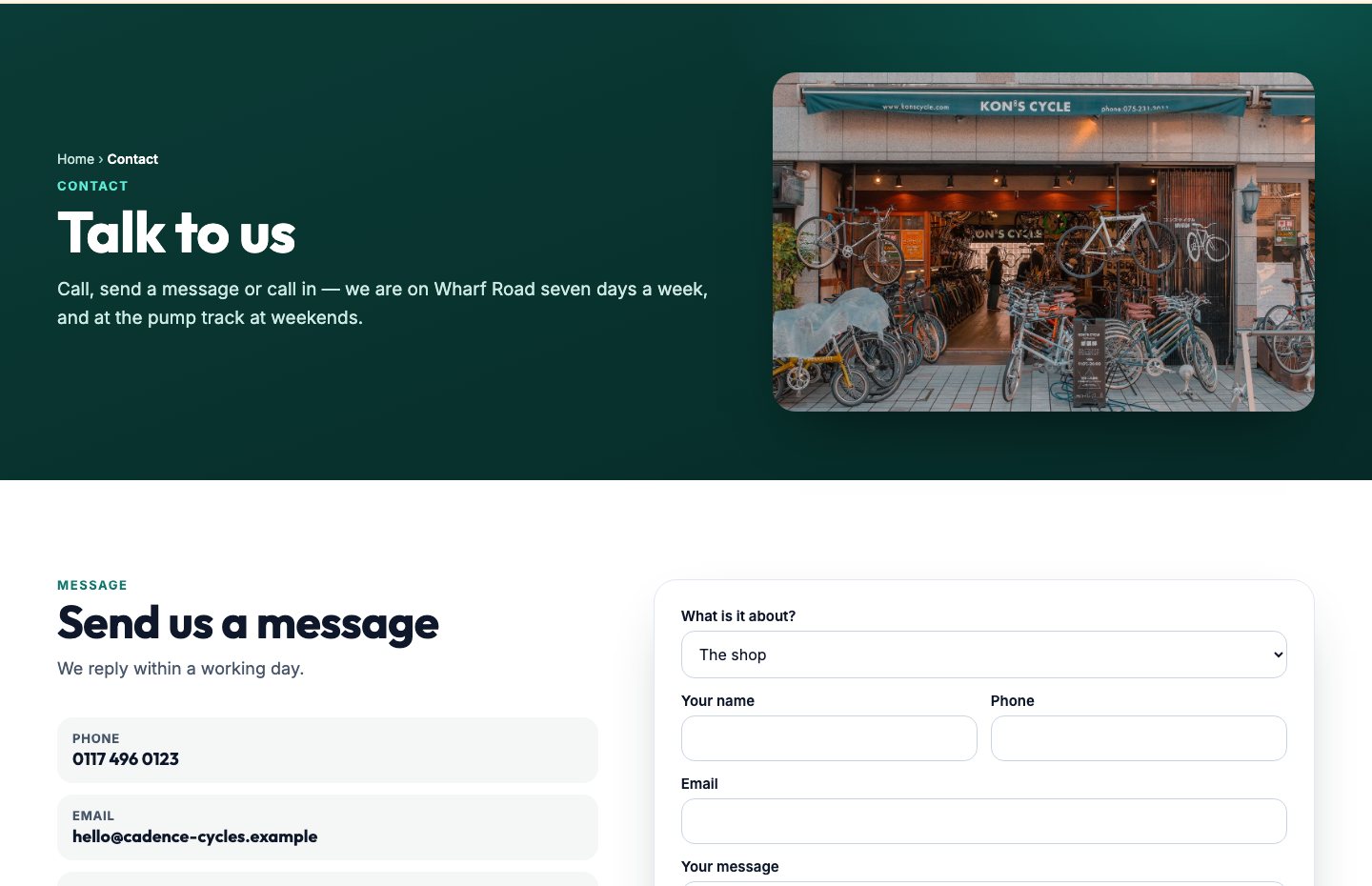
What does customer management mean in a CMS?
Customer management is keeping track of the people who get in touch with you and buy from you: who they are, what they asked, what they bought, whether you replied. Big businesses buy a separate CRM for it. Small businesses usually have it spread across an inbox, a phone, a contact form plugin and a mailing list service, and nobody can see the whole picture.
In the Mediatopia CMS the customer side is part of the website itself. The forms, the chat, the sign-in, the newsletter box and the shop all write into the same CMS, so every enquiry, conversation, order and subscriber is already in one place, without copying anything between systems.
Why keep your customers in the Mediatopia CMS?
Because the place your customers find you and the place you keep them should be the same place. A visitor who asks a question in the chat, sends an enquiry with a photo, signs up for your newsletter and later buys from your shop is one person, and the Mediatopia CMS treats them as one, instead of four entries in four systems.
And because it’s built for the way small businesses actually work: the enquiry arrives in your email with every answer and photo in it, so you can reply from your phone; the CMS keeps the record for when you need it.
- Forms, chat, accounts and newsletters in one place
- Every enquiry in your email and in the CMS
- No separate CRM or mailing list service
- Built for replying from your phone
The chat assistant is also sold on its own as an AI chatbot (more in AI chatbots), and if you already use another CRM, see CRM integration.
Customer enquiries that arrive whole
An enquiry is only useful if it reaches you with everything in it. Every form on your website sends you every answer the customer gave, each on its own row, in an email laid out in your own colours. Press reply and you’re replying to the customer, not to a robot address.
If they sent a photograph, of a damaged drive, a broken part, a room to be decorated, it arrives attached to the email and shown in it, not as a link you have to sign in to open. Ask any extra questions you like on a form, and the answers come with it, labelled.
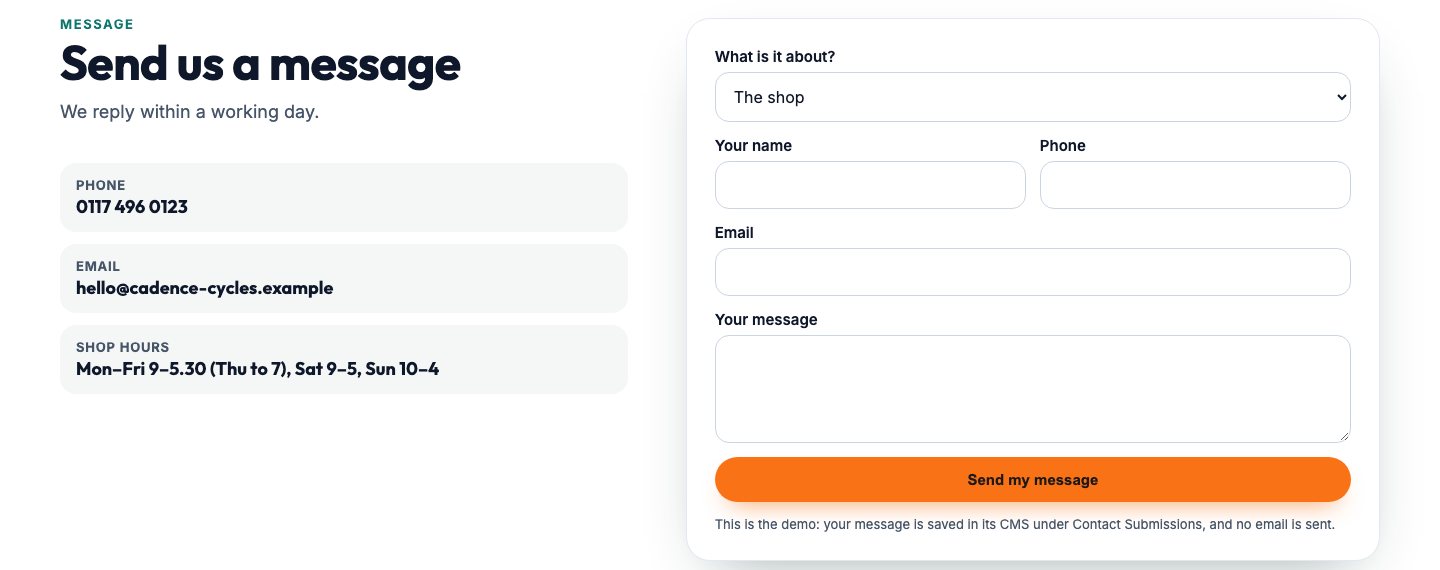
- Every answer, each on its own row
- Photographs attached and shown
- Reply goes straight to the customer
- Your own extra questions on any form
Spam filed away, real enquiries never lost
Every website gets spam dressed up as enquiries: offers of SEO, links in foreign languages, nonsense sent by robots. Each enquiry is scored as it arrives. Spam is filed away with the reason beside it and goes no further, so it never buries the real ones in your inbox, and if a real one is ever caught you can still find it.
Real enquiries are saved in the CMS as Unread, and the bell at the top of your CMS rings once. If anything goes wrong along the way, the enquiry is still saved: it’s never the casualty.
Sent to the right person
If you have more than one branch, office or department, an enquiry can go straight to the right one. Set rules on what an enquiry says, its postcode, the service it’s about, the branch it picked, and each one is emailed to the address that deals with it. Everything still lands in the same CMS, so nothing falls between two inboxes.
A chat assistant that knows your business
Most visitors who leave without getting in touch had one question nobody answered. A chat assistant on your website answers them, day and night, from your own website: your pages, your questions and answers, your documents, your news and your business details. It keeps its answers short, sends people to the right page with its link, never makes up a price, and asks once for a way to reach them.
Every conversation is kept word for word in Chat Conversations, and the ones where a visitor left an email address or phone number are emailed to you, so a question at midnight is a lead in the morning.
Chat with Cadence Cycles
Do you service e-bikes you didn’t sell?
Yes — every make, and e-bikes from the main motor brands. The E-bike Health Check is on our Workshop page: cms-demo…/workshop
How much is it?
It’s from £65, and some e-bikes need more time. Would you like the workshop to ring you? If so, what’s the best number?
Customer accounts and a members area, with no passwords
Passwords are where customer accounts go wrong: forgotten, reused, reset every time. Your customers don’t have one. They type their email address, get a six-digit code, type it back, and they’re in. A new email simply becomes a new account. The code lasts ten minutes, works once, and five wrong tries ends it.
Once in, they see their own orders, bookings, invoices, course places and event places, with the online link for anything they’ve booked online, and the documents you’ve shared with them, for members or for that one person. Members can be put in groups, so a junior section and an adult section see their own documents.
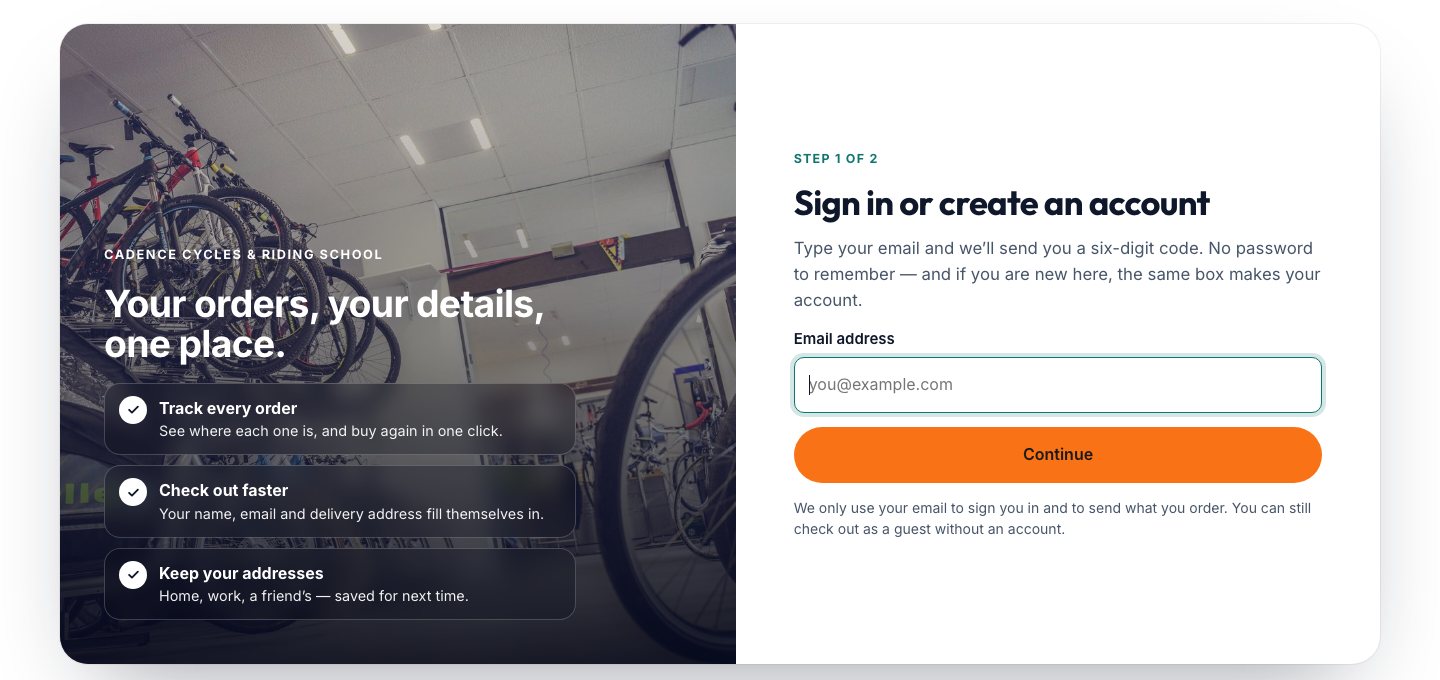
- Sign in with a code, not a password
- Orders, bookings and invoices
- Course and event places
- Documents for members, groups or one person
A record of every customer
Every customer who buys from you or makes an account has a record in the CMS: their orders, whether they have an account, when they last signed in, the addresses they’ve saved and their invoices. Members have theirs in Members, with their group. So before you pick up the phone, you know who you’re talking to and what they’ve had from you.
Subscribers who asked to hear from you
A mailing list is only worth having if the people on it chose to be there. Your subscribers come from your own website, with their agreement, so the emails you send are wanted ones.
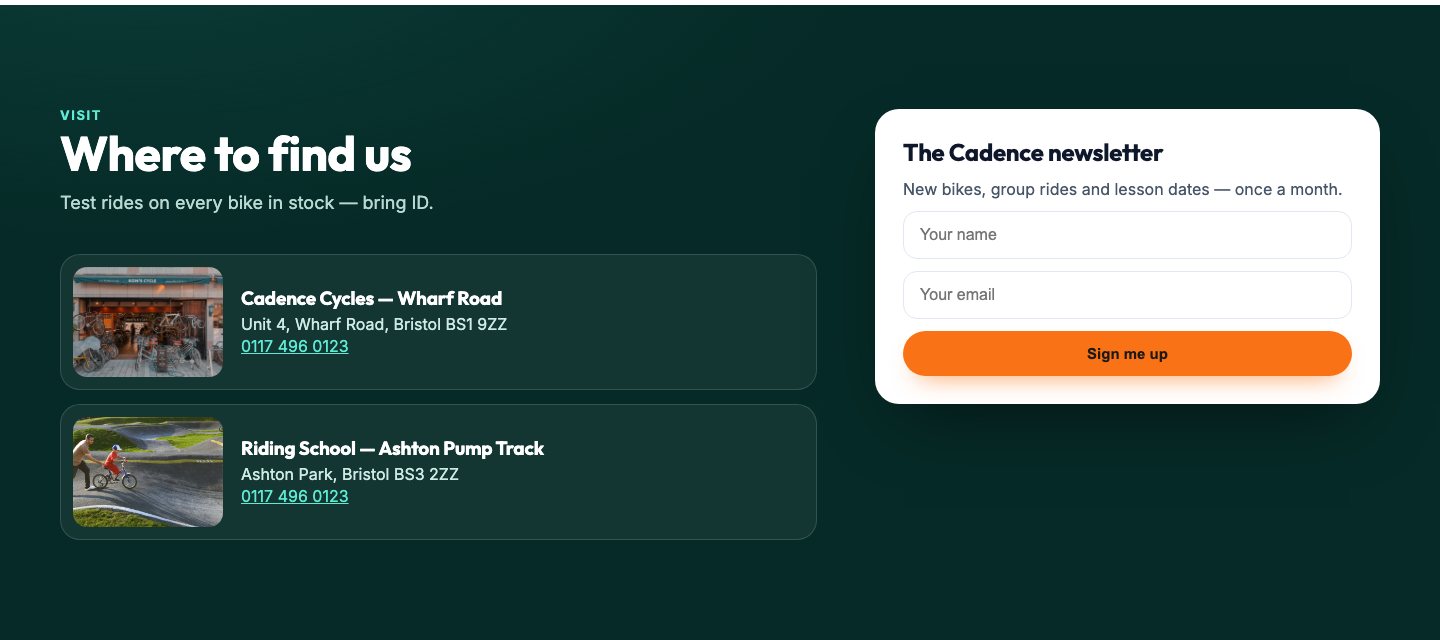
The newsletter box
Put a newsletter sign-up anywhere on your website, in the footer, on your contact page, beside your news, and everyone who signs up appears in Subscribers.
A guide for an email
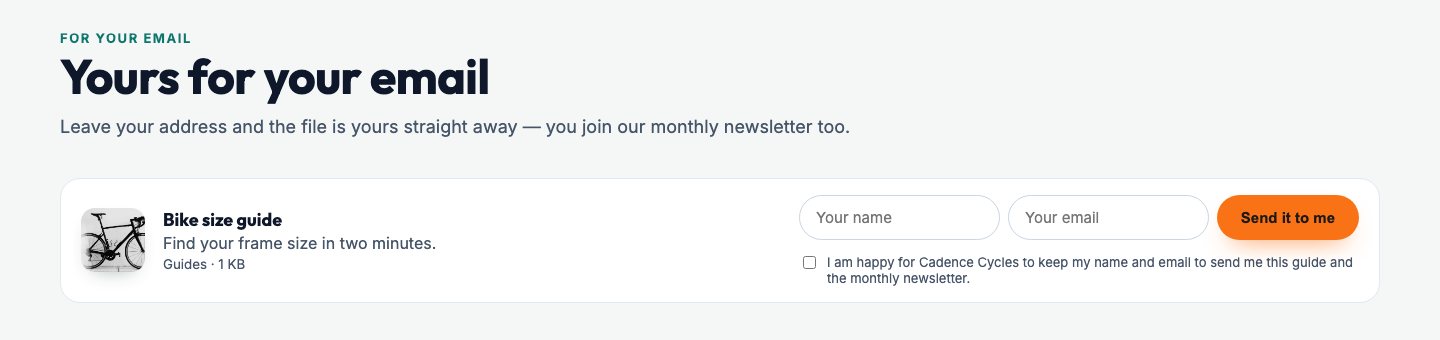
Offer something worth having, a guide, a price list, a checklist, in exchange for an email address. The visitor gets the file straight away, ticks to say you may keep their details, and if you’ve chosen to, joins your newsletter. You can see who asked for each one.
Newsletters that look like your business
Email is still the most reliable way to bring customers back. Email Marketing builds newsletters and campaigns from ready-made blocks, so nobody needs to know how to design an email: add a heading, a picture, a price, an offer, a testimonial, a before and after, and arrange them.
Each block that carries words or a picture can be made smaller or larger, set in your own colours from your website’s settings, and placed left, centre or right. See exactly how it will look on a computer and on a phone before it goes to your subscribers.
The 23 blocks
- Words
- Heading
- Ticks
- Price
- Picture
- Two screens
- Video
- How it works
- Quote
- Piece of work
- Button
- Line
- Banner
- Coloured band
- Spacer
- Three features
- Big numbers
- Picture & words
- Testimonial
- Before & after
- Offer
- Social links
- Logos
Who is our customer management for?
Any business that wants to stop losing enquiries and start keeping customers.
Trades and home services
Enquiries that arrive with photos of the job, replied to from the van.Businesses with branches
Each enquiry sent to the branch that deals with it.Shops
Customer accounts with orders and saved addresses, and newsletters that bring them back.Clubs and associations
A members area with groups, documents and event places.Schools and nurseries
Documents for parents, signed in without a password.Training providers
Course places and online links in each learner’s account.Professional firms
A chat assistant that answers the same questions every day.Anyone with a mailing list
Subscribers from your own website, and newsletters in your own colours.
Questions about customers in the Mediatopia CMS
Will enquiries come to my email as well as the CMS?
Yes. Every real enquiry is emailed to you with every answer and any photo, and kept in the CMS.
What happens to spam?
It’s scored as it arrives and filed away with the reason, so it never reaches your inbox but can still be found.
Do customers need a password?
No. They type their email, get a six-digit code and type it back.
Can members see documents only they should see?
Yes. A document can be for all members, a group of members, or one person.
Is the chat assistant included?
It’s an add-on with its own price. See the chat assistant.
Can I try it before I buy?
Yes. Press Try it now and you’re in your own copy of our demo website and its CMS for 10 minutes, with nothing to fill in. Email Marketing is shown in a guided demo.
How much does it cost?
See our pay monthly websites for prices.
Book a guided demo of the Mediatopia CMS
Tell us a little about your business and what you would like to see, and we will be in touch to arrange a time to show you round the CMS.
Try it for yourself
Your own copy of a working website and its content management system, ready in seconds. No form, no sales call.