Case Study
School Website Design — The Federation of Boldmere Schools Case Study
A two-school federation in Sutton Coldfield that had one website for both — rebuilt as three: a landing page on the federation’s own address and a full website for each school, each with its own chat, its own documents and its own login for the school office.
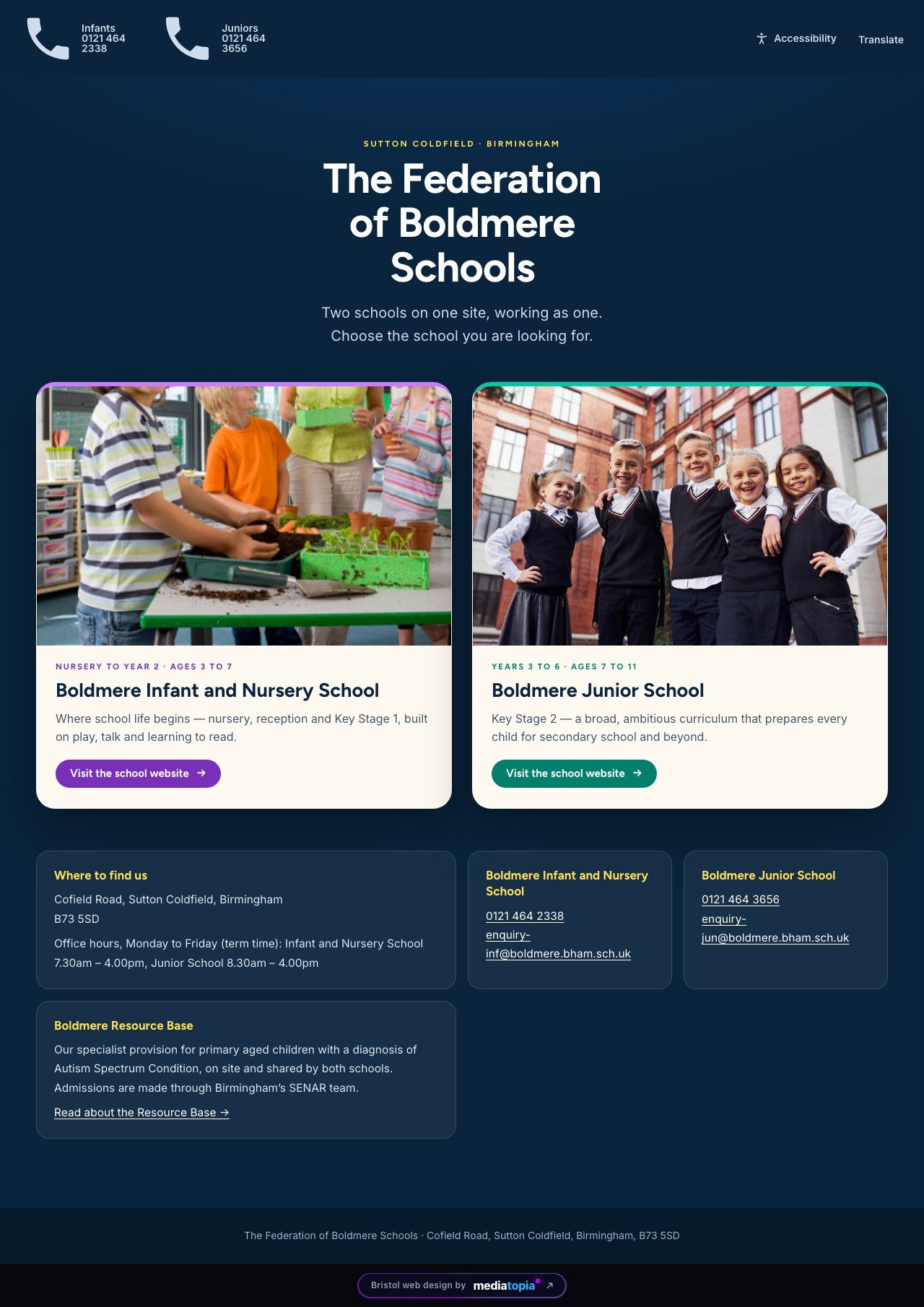
Two schools on one site, and one website for both
The Federation of Boldmere Schools is Boldmere Infant and Nursery School — nursery to Year 2, ages three to seven — and Boldmere Junior School, Years 3 to 6, on one site on Cofield Road in Sutton Coldfield. Between them sits the Boldmere Resource Base, specialist provision for primary-aged children with a diagnosis of Autism Spectrum Condition, shared by both schools.
Their old website served both schools from one set of pages, so the Infant school’s prospectus page carried the Junior school’s prospectus, and its curriculum enrichment page described clubs for Years 3 to 6. The audit found twenty-nine pages without a meta description on any of them, twenty-three with no main heading at all, one with a hundred and seventy-four, no structured data for Google to read, and no accessibility statement or privacy page at any of the usual addresses.
Fifty-one of the two hundred and ten documents stored on the old host were the host’s own “404 Not Found” page saved as a PDF. A parent opening the behaviour policy got an error message with a policy’s file name.
Why a landing page and two separate websites
Two schools are two organisations. Each has its own office, its own phone number, its own enquiry inbox, its own reception hours — 7.30 at the Infants, 8.30 at the Juniors — its own head teacher, staff, prospectus, policies and diary. One website could only ever tell one of them properly.
So the federation’s own address, boldmere.bham.sch.uk, became the entrance: a single page with two cards, two schools, each with its hours, its number and its own button through to its own site. That keeps the standing the root address has earned with Google, and gives a parent one place to start.
Behind it, inf.boldmere.bham.sch.uk has forty pages and jun.boldmere.bham.sch.uk thirty-nine, each written for its own school. The Infant site is purple, the Junior green, each in its own colours. Every one of the hundred and one addresses on the old website is redirected to the right page on the right school’s new site — fifty-five of them across to a different school’s address — so a link in an old newsletter, a council listing or a Google result still lands.
The two school websites are below, full length. Hover over either one and it scrolls through the whole site.
Website 2 of 3
Boldmere Infant and Nursery School
Nursery to Year 2, ages three to seven. Forty pages: the date-of-birth tool, the Busy Bodies clock, the school’s own diary dates and prospectus, and its own chat. Live at inf.boldmere.bham.sch.uk

Website 3 of 3
Boldmere Junior School
Years 3 to 6, ages seven to eleven. Thirty-nine pages: the Key Stage 2 results on the home page, every member of staff by team, and its own chat. Live at jun.boldmere.bham.sch.uk

A home page that asks who you are
A school website has four very different readers. The home page of each school opens by asking: “Hello! Tell us who you are.” Pick I’m thinking of joining, I’m a current parent, I’m looking for support or I’m interested in working here, and the pages that reader is most likely to need appear underneath.
On the Infant site, “When does my child start school?” takes a date of birth and answers with the year group the child is in now and the September they start Reception, with the application going through Birmingham City Council, in their own words. A clock on both sites shows whether the school day or Busy Bodies, the before-and-after-school club, is running right now, from 7.30 in the morning to 6.00 in the evening.
The top bar of every page carries the thing a parent needs most often: a red “Is Your Child Sick?” card that drops open with the medical and off-sick number, the term dates, a Translate button, and the news strip the office writes itself. Lower down, the federation’s six values each link to the newsletter that explains them.
Results a parent can actually read
The Junior site puts its Key Stage 2 results on the home page under the heading they earned: “Above national. Every subject, every year.” Across the five headline measures and the five years the government has published, their Year 6 beat the national average twenty-five times out of twenty-five.
Each year is a tab and each measure a bar against the national figure — in 2025, reading at 88% against 75%, maths at 83% against 74%, grammar and spelling at 88% against 73%. The numbers are the school’s own published figures, laid out so a parent choosing a school can read them in ten seconds instead of opening a performance table.
The same care went into the pages a school must publish: Ofsted, performance tables, policies, safeguarding, SEND, pupil premium, sports premium, financial information, governors and an accessibility statement are all there, each on its own page under Key information, on both schools. The PE and sport premium reports, which the Department for Education requires as web pages rather than downloads, are written out in full on each school’s sports premium page.
A chat that knows the school, and knows its place
Every page of both school websites carries a chat. It answers from the school’s own published pages, its FAQs and its documents, so a parent at nine o’clock at night asking about uniform, term dates, admissions or the breakfast club gets the school’s own answer and a link to the page it came from, in the school’s own words — nothing made up, and nothing from the other school.
When it cannot answer, it takes the question and the parent’s details and emails them to that school’s office. And it never tells a parent that the school will be in touch. That was the school’s own request, made in the training session: in their words, “it’s putting the onus back on us.” So it says the office has the message, and leaves the promise to the office.
The same dock carries the school’s notices. A closure for snow, a flood, a burst pipe, is written once in the dashboard, with a start and an end, and appears across every page of the site until it expires — no phone tree, no Facebook post that half the parents miss. Enquiry forms go to each school’s own inbox, enquiry-inf@ and enquiry-jun@, never to a shared one.
Seventy-nine documents each, and not one that was a 404
Each school’s site holds seventy-nine documents in its own list: thirty-six policies, eleven on safeguarding, eight sports premium reports, eight pupil premium reports, seven newsletters, five on SEND, three on the curriculum and one on behaviour. Every one shows its size before it is opened, and the office can archive an old report so it comes off the list without being deleted.
The fifty-one that were error pages on the old host were traced and replaced with the real document at the same address, so nothing a parent had bookmarked opens an error. The sports and pupil premium figures that read as “£0” to a screen reader and to Google on the old site are now real amounts in the page.
A subject card on the curriculum page can be linked straight to that subject’s overview, so clicking History opens the History PDF — the office does that themselves, from the page.
Accessibility built in, not bolted on
A school website is used by every family in the catchment, so the accessibility tools are part of the site rather than a subscription overlay. The Accessibility button on every page offers text size, high contrast, dyslexia-friendly text, highlighted links, stopped animations, a reading guide and read-aloud, and remembers the visitor’s choices on their own device. Every page can be read in another language from the Translate button beside it.
Underneath that, the things nobody sees until they need them: a skip link on every page, a phone menu that works with a keyboard and hides the page behind it, a pause button on the news strip, and focus rings on every control. Every page of both schools was checked against WCAG 2.2 AA, with no text anywhere failing the contrast standard — including inside the open phone menu, where two of the quick buttons had been white on a colour too light to carry them, and were changed.
The phone menu itself was tapped through by hand before launch, every page in it including Contact, because a parent at the school gate is holding a phone, not a laptop.
The school office runs it
Each school has its own login to its own dashboard: Pages, Documents, the Media Library and Subscribers, and nothing of the other school’s. The office clicks the words on a page, changes them, saves a draft and puts it live themselves. In the first week of October 2026 the Infant school office published its own changes forty-two times across twenty pages.
Staff and governors are cards by team, each with a photograph where the school has sent one and the person’s initials in a coloured tile where it has not, so nobody is missing while the photographs come in. The Infant office asked for its photo library to show only its own pictures rather than the Junior school’s as well, and it does.
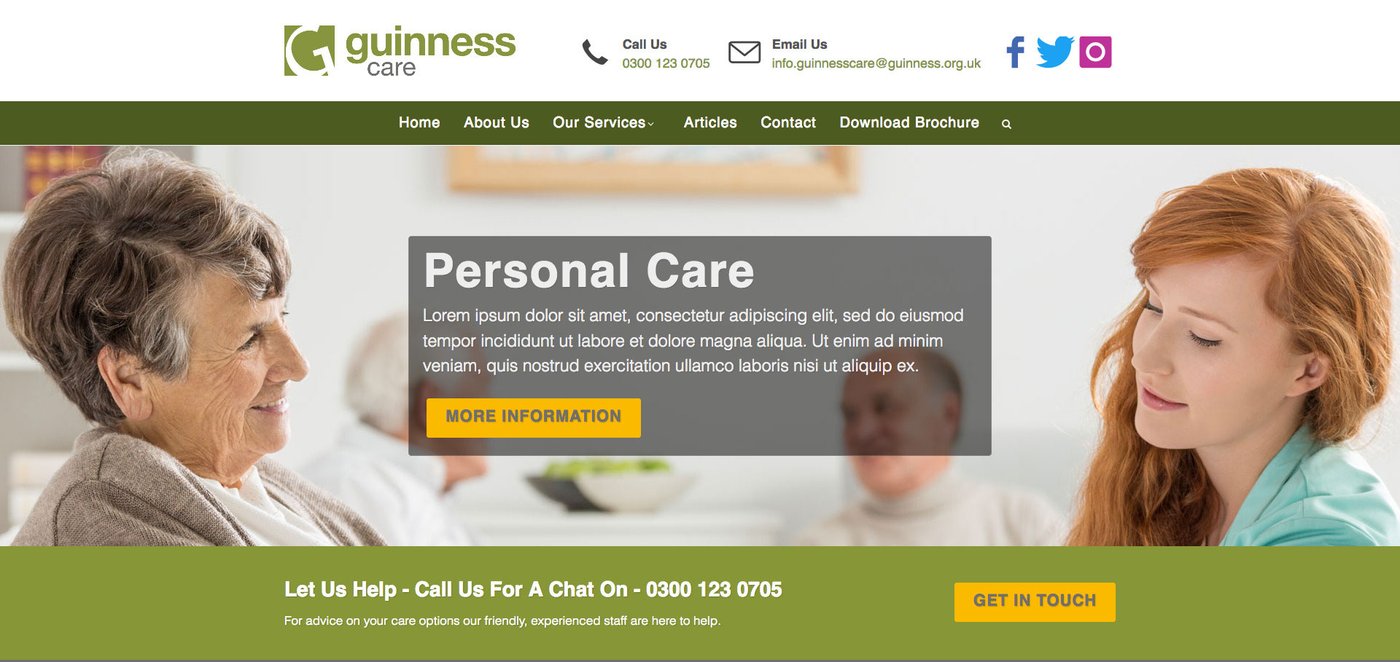
If you run a school, a nursery or a trust, that is exactly the work. The North Somerset Safeguarding case study and the Guinness Care case study are comparable public-sector projects.
What We Built
Project development work carried out
Three Sites, One Federation
A landing page on the federation’s own address and a full website for each school, forty and thirty-nine pages, each written for its own school, with every old address redirected to the right one.
A Home Page That Asks First
Tell us who you are, when does my child start school, a live clock for the school day and Busy Bodies, and the sick-child card in the top bar — all built from the school’s own information.
A Chat That Knows The School
Answers from each school’s own pages and documents, emails the office what it cannot answer, never promises a call back, and carries the school’s notices.
Accessible, And Theirs To Run
Accessibility tools and Translate on every page, every page checked against WCAG 2.2 AA, and each office with its own login, seventy-nine documents and its own publishing.
Common Questions
School Website Design FAQs
More case studies
View all work →





Need a website for your school?
Tell me what you need and I will give you a fixed price. You deal with the person who builds it — not an account manager, not an offshore team.